
Gebrauchtwaren in Deutschland: tech readers’ practical guide to buy and verify
A clear, practical guide for tech enthusiasts on how to evaluate used tech in Germany, with steps, pitfalls, and reliable resources.

Tech readers often ask how to assess used gear safely and effectively in Germany. This piece answers with practical steps, concrete checks, and reliable resources you can use today. You’ll learn what to verify, how to test, and where to look for trustworthy listings and audits.
The goal is to arm you with a repeatable process: inspect, verify, and document. We separate fast wins from deeper checks, so you can tailor the effort to your needs. By the end, you’ll be able to decide if a used device is worth a purchase or a risky swap.
- This guide shows a practical approach to buying used tech in Germany, with a focus on reliability and safety.
- You’ll learn how to test devices, pick trustworthy sources, and avoid common pitfalls.
- The plan emphasizes documentation, warranty considerations, and ongoing maintenance.
Basics in practice
Security basics for buys
Start with a clear checklist of your must-have features before you search. This keeps you focused and reduces impulse buys. Test important functions in person where possible, such as boot time, battery health, and peripheral compatibility. Gebrauchtwaren in Deutschland explains how to verify ownership and test equipment before purchase.
Be wary of devices with unusual or missing serial information, and bring a USB tester or power meter to gauge charger performance. If something feels off, walk away. A quick pre-purchase test saves more time than a lengthy warranty claim later.
Document the device condition with photos and notes to compare listings later. A well-kept record helps you negotiate or cancel a deal if needed.
- Create a checklist before browsing
- Test core functions in real time
- Demand complete serial and accessory info
- Record condition with photos
- Compare notes to avoid regrets
Where to look for items
Know trustworthy marketplaces and local shops that specialise in used tech. In Germany, a mix of online marketplaces and local stores often provide better listings than generic platforms. Compare listings to spot red flags like vague descriptions or missing photos.
Ask sellers for proof of ownership and recent maintenance actions. A device with a recent battery replacement or screen repair should include receipts or service notes. This helps you assess value and potential future issues.
For rare items, consider refurbished programs from manufacturers or certified resellers, which balance price with reliability and warranty options.
- Choose marketplaces with clear seller history
- Request proof of ownership and service
- Assess warranty options for refurbished items
- Compare multiple listings for value
- Be cautious of overly generic specs
How to test safely
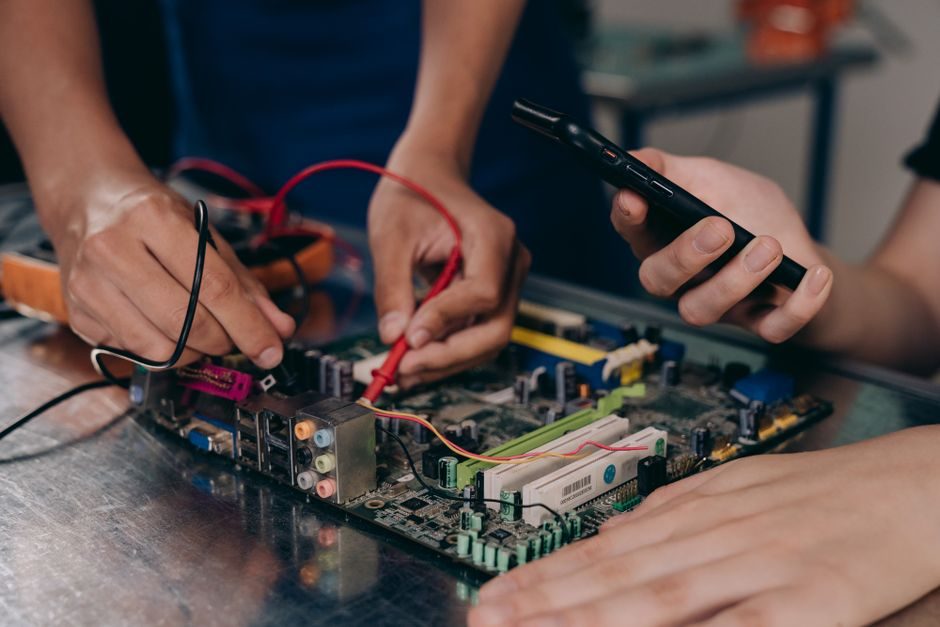
Hands-on checks you can do
Set up a quiet, well-lit space to power on the device and run basic diagnostics. Look for signs of screen burn, odd colors, or boot errors that indicate deeper issues. Krypto Fokus Deutschland Nachrichten are often cited for security context around digital assets in commerce.
Run connectivity tests: Wi-Fi, Bluetooth, USB, and peripheral ports. Confirm that the OS recognizes hardware accurately and that drivers install cleanly.
If possible, run a memory or storage check to gauge health. Simple tools can reveal bad sectors or degraded performance that aren’t obvious from a normal boot.
description :=
- Validate boot and OS integrity
- Test ports and wireless connectivity
- Run quick storage health checks
- Record results for comparison
- If something fails, document and back away
Options and trade-offs
Choosing between used, refurbished, and rental
Used gear can be cheaper but carries more risk; refurbished items from manufacturers often include limited warranties and better condition. Balance price against risk tolerance and need for reliability. lokale Veranstaltungen in Deutschland can help you meet sellers and inspect devices in person.
- Prioritise reliability over tiny price savings
- Prefer certified refurbishments with warranty
- Check software compatibility and updates
Renting or leasing a device can be a smart intermediate option for short projects or tests. It avoids long-term commitment, but total cost may rise with time.
Consider the long-term ecosystem: software compatibility, driver updates, and resale value. A device with strong community support and easy firmware updates is usually a safer bet.
- Weigh price vs risk
- Consider refurb options from trusted sources
- Factor in software and driver support
- Think about long-term ecosystem
- Evaluate total ownership cost
| Option | Pros | Cons |
|---|---|---|
| Used gear | Lower upfront cost | Higher risk of hidden issues |
| Refurbished by manufacturer | Warranty and reliability | Limited availability in some regions |
| Rental/loan | No long-term commitment | Higher ongoing cost if used long |
Where to verify listings
Cross-check seller reputation and listing quality. A detailed description and clear photos usually indicate a responsible seller. If a listing lacks basic information, treat it as a warning sign.
Use price benchmarks and common-sense checks to spot anomalies. A price far below market value often signals potential issues, like hidden damage or counterfeit parts.
Ask for serial numbers and run a quick online search to see if the device appears in any fraud reports or misrepresented listings.
- Verify seller reputation
- Look for consistent listing details
- Beware price outliers
- Request serial numbers for checks
- Search for related fraud histories
Overlooking battery health or wear can shorten usage time and increase replacement costs.
Pitfalls to avoid

Common mistakes five to avoid
Rushing into a deal because of a good price often leads to hidden costs. Take time to verify device history and ownership documents. Firmeneintrag in Deutschland is a useful reference for verifying legitimate business listings in the used tech market.
Overlooking battery health or wear can shorten usage time and increase replacement costs. Always check the battery’s health report if available.
Ignoring legal ownership or restricted software can cause future problems, including forced returns or restricted updates. Confirm licenses and activation status before purchase.
- Rushing through checks
- Ignoring battery health
- Overlooking ownership proof
- Ignoring software licenses
- Failing to test before purchase
Red flags and exit signs
Unclear or missing listing details should trigger scrutiny. Ask for more photos, serials, and repair histories before moving forward.
A seller refusing to meet in person or avoid answering technical questions is a warning sign. Prefer listings with accessible contact and visible evidence.
If a device is heavy with modifications or unusual software, it may indicate compromised security or non-original components.
- Missing specs and photos
- Vague repair history
- Avoids in-depth questions
- Unusual software setups
- Reluctance to provide ownership proof
Future-proofing your used tech journey
Assess future compatibility
Start by listing the devices or software you rely on daily and check for evolving formats or ports. Look for hardware that supports standard interfaces and widely adopted standards, which makes upgrades smoother. This helps you avoid bottlenecks when software updates tighten requirements. A useful resource on this topic: Traueranzeigen in Deutschland.
Consider the long-term software support offered by the manufacturer or community. Devices with open ecosystems or strong developer communities tend to receive longer- lasting firmware and security updates. Plan around the kind of ecosystem you are comfortable sticking with for several years.
Evaluate upgradability and repairability, not just price. Modular components and readily available spare parts extend lifespans and reduce total-cost-of-ownership. A small upfront effort here pays off as needs change over time.
- Check ports and expandability
- Prefer open or modular designs
- Confirm parts availability
- Assess update policy and timelines
Ethical sourcing and compliance

Transparent supply chains
When evaluating used tech, traceability matters. Look for documentation about the device’s origin, handling, and prior ownership to avoid networks tied to illicit activity. This reduces risk for both buyer and seller.
Assess compliance with local rules on electronics waste and data sanitization. Reputable sellers will document data erasure processes and provide certificates when applicable. This gives you a defensible position if issues arise.
Compare seller practices and warranties, not just price. A fair return policy and clear terms show a commitment to responsible trade and user protection.
- Ask for origin details
- Verify data sanitization
- Review return policies
- Check warranty terms
Regional marketplaces and trust
Market landscape and safety
Regional marketplaces vary in trust levels and policy enforcement. Start by researching seller ratings, dispute resolution options, and response times before committing to a purchase. A well-supported marketplace reduces post-purchase friction.
Use escrow or payment methods that offer buyer protection. This is especially important for high-value devices where return windows are short. It gives you leverage without paying extra fees.
Be mindful of transport risks and import rules if buying from neighboring regions. Check warranty coverage and service availability locally to avoid getting stranded with unsupported hardware.
- Read seller reviews
- Prefer marketplaces with buyer protection
- Understand shipping and warranty terms
- Consider local service options
Long-term maintenance plans

Preventive care routines
Create a quarterly check-in to review firmware, drivers, and security patches. This keeps devices resilient against emerging threats and compatibility gaps. Automated update schedules help you stay current without manual tracking.
- Schedule regular firmware checks.
- Keep backups and sanitation on track.
Establish a data hygiene routine that includes backups and secure erasure for refurbished devices. A simple, repeatable process minimizes downtime and protects sensitive information.
Document a spare-parts inventory and a repair workflow so you can swap components quickly when needed. This reduces repair times and keeps your setup productive during busy periods.
- Set update reminders
- Maintain backups
- Keep a mini spare-parts kit
- Record repair steps and contacts
Frequently asked questions
What should I verify in person before paying?In-person checks should cover device power-on behavior, port functionality, screen quality, and any indications of prior repair. Bring a compatible tester for basic diagnostics and request to see the device boot and run a short test. Ask for proof of data erasure if the device previously contained personal data.
How do I assess if a device is financially worth it?Weigh the price against expected maintenance, potential repair costs, and the value of compatible accessories. Consider how long the device will remain usable with available updates and how easily parts can be sourced. A bargain that incurs frequent fixes often isn’t a bargain over time.
What safety checks reduce risk with refurbished gear?Check for official refurbisher certification, verify return windows, and inspect for counterfeit components. Look for clean software installations and documented data sanitization. Keep a record of serial numbers and match them to the device when possible.
How important is regional warranty support?Warranty support matters if you rely on quick repairs. Local service centers reduce downtime and increase confidence that genuine parts will be used. If shopping across borders, confirm whether warranty terms travel with the device.
Next steps in the workflow
Start by auditing your current devices for upgradeability and data hygiene, then map out a minimal upgrade plan that aligns with your workflow. This will help you decide which used devices to target and which to pass on.
Develop a sourcing checklist that prioritizes ethical provenance, local support, and clear maintenance terms. Use it alongside a price comparison approach to avoid overpaying while staying within your risk tolerance.

Add Technology News as a preferred source on Google


